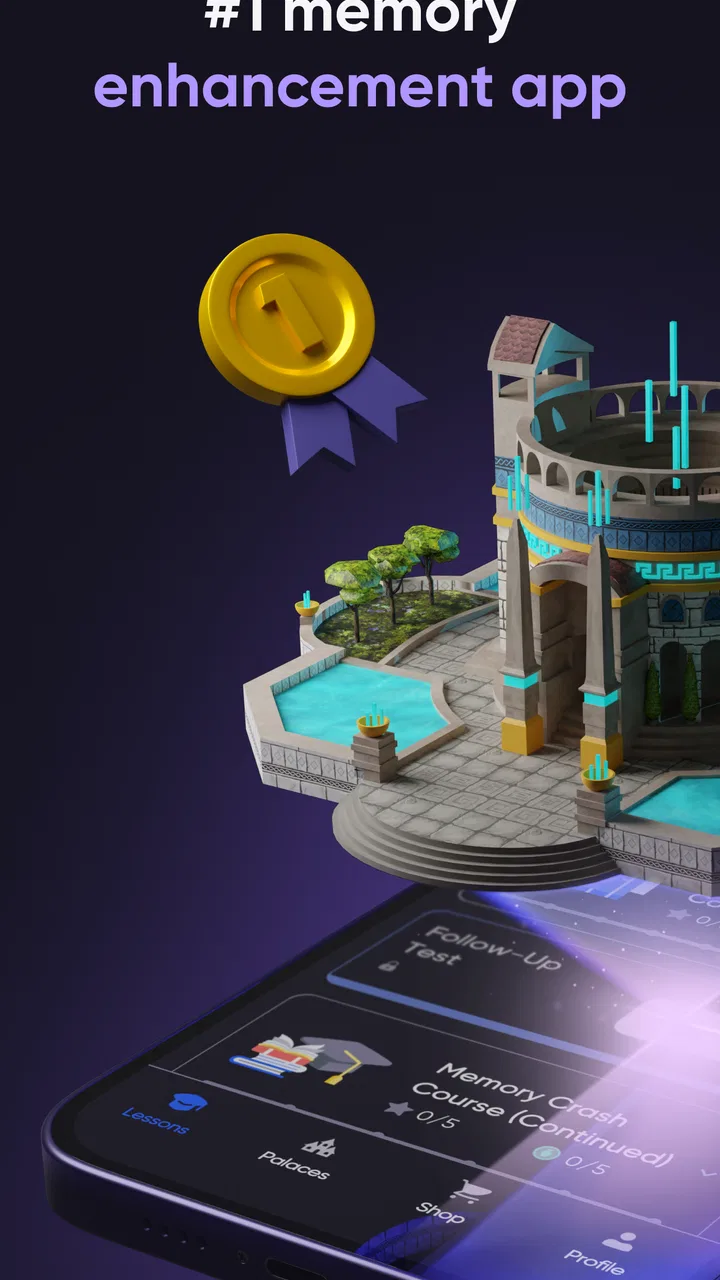
memoryOS: Improve Your Memory
- 4.8
- Rating
- 100.00K
- Installs
- Free
- Price

 Analysis by App-foxy
I approached memoryOS: Improve Your Memory as a practical training tool rather than a game I would open for entertainment. It is an Education app from Encoder Inc. that focuses on short exercises for memorization and concentration. After using it, my main impression is that it works best when treated like a small daily appointment: open it with a clear purpose, complete the exercise carefully, and pay attention to the technique rather than chasing a perfect result.
The app is free to start, which makes it easy to test without committing money immediately. It is suitable for Everyone and runs on Android 8.0 or later. Its current version is 1.5.7, and the app has passed 100K installs with a 4.8 average from around 13K ratings. Those figures suggest that it has found a receptive audience, but they do not replace the more important question: does its style of practice fit the way you want to improve your memory?
How I built a useful baseline routine
My first recommendation is to avoid opening the app randomly whenever you have a spare minute. That sounds flexible, but memory practice benefits from consistency. I found it more useful to choose one predictable point in the day, such as after breakfast or before beginning a study session. The goal is not to spend a long time inside the app. The goal is to create a repeatable warm-up that makes focused recall feel familiar.
You May Also Like

 Blood Strike: 2.5 Anniversary
Blood Strike’s Loadouts Turn Every Drop Into a Tactical Gamble
A close look at Blood Strike’s custom loadouts: how fast access to signature weapons reshapes its battle royale rhythm, rewards preparation, and narrows the gap between fights.

 Pandora - Music & Podcasts
Pandora’s Music Is Easy to Start, but Harder to Recover
Pandora’s strength is its low-effort path from a seed to a station. Its weak spot is how much confidence it asks you to place in connection, setup, and quiet recovery.

 8 Ball Pool
 Is Built on Rivalries, Rematches, and Routine
A close look at the rivalries, rematches, shared routines, and unanswered safety questions that turn a quick pool match into a persistent mobile community.

 Samsung Music
’s Quiet Strength Is Playing What You Already Own
Its reach comes less from spectacle than from dependable access to a personal library. That simplicity is both the app’s strongest retention engine and its ceiling.

 AccuWeather: Weather Radar
AccuWeather Review: A Quick, Clear Forecast for Everyday Decisions
For everyday plans, the best forecast is the one you can understand quickly. AccuWeather makes rain timing, radar, and local conditions easy to act on, with a few trade-offs.

 Hill Climb Racing
Why Hill Climb Racing Still Turns Crashes Into One More Run
A tiny car, a bumpy hill and one more upgrade: Hill Climb Racing keeps resurfacing because its simple chaos makes every near-miss feel personal.
More From Our News Desk



A simple baseline workflow is to begin when you are reasonably alert, complete the assigned exercise without multitasking, and then briefly think about what caused mistakes. If I missed an item because I rushed, that is a different problem from forgetting a sequence entirely. Separating those two situations makes the practice more informative. Otherwise, it is easy to interpret every wrong answer as a weak memory when the real issue is attention.
I also recommend keeping the phone in one position and using the same orientation whenever possible. This is not a special feature of the app; it is a habit that makes your results easier to interpret. If the screen is constantly moving, notifications interrupt you, or you are practicing while walking, the exercise becomes a test of distraction management rather than memorization. That can still be useful, but it is not the same objective.
For a realistic everyday scenario, imagine preparing for a presentation. I would use memoryOS shortly before reviewing the presentation, not as a replacement for learning the material. A short session can encourage deliberate attention, after which I would close the app and try to recall the presentation structure without looking at my notes. The app provides the exercise; the transfer to real work comes from applying the same recall habit afterward.
Students can use the same pattern before a revision block. Rather than opening the app after every difficult paragraph, I would complete one focused session, study a defined topic, and then attempt to reproduce the main points from memory. That combination is more useful than treating the app as a magic shortcut. It turns the training into a prompt for active recall, which is where the practical benefit is most likely to appear.
What the first sessions reveal
The early experience is valuable because it shows whether you enjoy this type of training. Some people like compact challenges with a clear right-or-wrong outcome. Others find them repetitive and would rather use flashcards, written summaries, or a language-learning course. I would not force myself to continue simply because memory improvement sounds appealing. If the interaction feels like a chore from the beginning, a different learning method may produce better results through greater consistency.
One useful observation is that speed and accuracy can pull in opposite directions. When I tried to respond too quickly, I was more likely to lose the detail I had just seen. Slowing down slightly gave me a better sense of what I was actually encoding. This is an important trade-off for experienced users: a faster completion is not automatically a better training session.
The app is also easier to judge when I separate immediate performance from long-term usefulness. A good session may leave me feeling challenged without producing an obvious change in everyday recall that same day. I would look for practical signs over time, such as whether I can keep a short list in mind more comfortably or reconstruct the order of information with less effort. Those are personal observations, not promises made by the app, but they are the right way to evaluate a memory trainer.
Settings and habits worth checking before regular use
There is a temptation to begin training immediately and never examine the surrounding setup. I think that is a mistake. Before making the app part of your routine, check the available settings and make sure the experience suits your attention span, schedule, and device. I would not assume that every option needs changing. The useful approach is to identify anything that creates friction and remove only that friction.
Notifications deserve particular attention. A reminder can help establish a habit, but an overly frequent prompt can turn practice into background noise. If reminders are available on your device or within the app, I would choose one time that matches a routine you already keep. A memory exercise placed beside an existing habit is easier to maintain than a reminder scheduled for an ideal time that you regularly ignore.
Sound and interruption controls are equally important. If the app offers audio preferences, I would use a quiet arrangement when practicing in a library, office, or shared room. If your phone is likely to receive messages during a session, enabling the device’s distraction-reduction mode may matter more than any in-app adjustment. A short exercise loses value when a notification breaks the encoding stage and you continue without noticing.
Screen brightness and text visibility are small details with a large effect on concentration. I prefer a comfortable brightness rather than the brightest possible setting, especially during evening practice. If an item is difficult to read, the exercise becomes unnecessarily tiring. This is one of the less obvious ways to improve the quality of a session: make the visual conditions boring and stable so the challenge comes from memory, not from the display.
Because the app is free to download but includes in-app purchases ranging from $0.99 to $149.99 per item, I would also review the purchase flow before using it regularly. The free starting point is helpful for deciding whether the method suits you. At the same time, I would avoid buying anything simply because a difficult session made me feel that I needed a stronger solution. A purchase should be based on a clear reason and a feature or content choice you genuinely expect to use.
This is especially relevant for parents or anyone managing a shared device. The Everyone age rating makes the app broadly accessible, but an age rating does not mean every user will benefit in the same way. A child may enjoy the challenge, while an adult looking for exam preparation may need a more direct study system. I would test the learning fit rather than treating the age label as a recommendation for every purpose.
Making each session easier to interpret
I found it helpful to decide what I am practicing before starting. On one day, the emphasis might be sustained attention. On another, it might be remembering the order of information. Even if the app presents the exercise in its own format, my personal goal changes how I review the result. This prevents the routine from becoming a meaningless attempt to improve a single score.
A second useful habit is to stop while attention is still reasonably good. Continuing after mental fatigue can create a misleading impression that the method is no longer effective. If I am guessing, tapping automatically, or thinking about unrelated tasks, I would rather end the session and return later. The app is most useful when I am actively encoding information, not merely completing screens.
I would also keep a very small note outside the app after selected sessions: what went wrong, what helped, and where I might use the skill. This does not need to become a detailed journal. A sentence such as “I remembered the beginning but lost the middle when I rushed” gives me a practical adjustment for the next session. It also connects the digital exercise to real-world memory demands, which the app cannot do on its own.
Faster patterns for people who already have a routine
Once the basic routine feels comfortable, the next improvement is not necessarily doing more. It is reducing the amount of decision-making around practice. I would prepare the same place, the same approximate time, and the same interruption-free conditions. This makes the app a reliable trigger for concentration instead of another choice competing with everything else on the phone.
One efficient pattern is the “warm-up, apply, check” sequence. I use the app as the warm-up, immediately apply a recall task to something relevant, and then check the source material afterward. For example, after a session I might read a short set of work instructions, close them, and explain the steps aloud. If I cannot do that, the problem is not solved by repeating the app indefinitely; I need to study the instructions more actively.
Another pattern is to alternate easy and demanding contexts. A session at home can establish clean concentration, while an occasional session in a mildly distracting but safe environment can show whether the habit transfers. I would not deliberately create a chaotic setting, because that changes the task too much. The useful comparison is between a controlled baseline and the ordinary distractions that actually affect your day.
For language learners, the app can serve as a concentration primer before vocabulary review, but it should not replace spaced repetition or sentence practice. I would use it before recalling words, then test those words in context. For professionals, it can precede memorizing a meeting agenda or a short briefing. For older users, it may provide a structured mental exercise, provided the interface remains comfortable and the activity is enjoyable rather than pressured.
The trade-off becomes clearer here. memoryOS is more focused than a general productivity app, but less directly tied to a specific subject than flashcards. A flashcard system is usually the better choice when you need to retain exact facts, definitions, formulas, or vocabulary on a planned schedule. A notebook may be better when your main problem is organizing ideas. A meditation app may be preferable when distraction, stress, or restless attention is the central obstacle. This app sits between those options as targeted practice for memory and focus.
How I would avoid overtraining
Doing several sessions in a row can feel productive because it creates visible activity, but repetition without reflection may only improve familiarity with the exercise style. I would rather use one attentive session and then apply the skill to a real task. This is a non-obvious limitation of many training apps, including this kind of memory exercise: becoming good at the drill is not identical to becoming better at every form of remembering.
I would also resist comparing results across completely different conditions. A tired evening session and a focused morning session do not tell me the same thing. If I want to notice a trend, I keep the circumstances roughly similar and judge my performance over a stretch of regular use rather than reacting to one unusually good or bad attempt.
When the app feels too easy, I would first examine whether I am paying close attention. Automatic responses can make a familiar pattern seem mastered. When it feels too hard, I would check fatigue, screen comfort, interruptions, and rushing before deciding that the training is unsuitable. These checks are simple, but they prevent me from changing settings or spending money to solve a problem caused by the environment.
Advanced limits and who should choose something else
The biggest limitation is scope. This is a memory and focus exercise app, not a complete learning system. It cannot decide which facts matter for your exam, create a personal study plan for a complicated subject, or replace sleep, revision, and meaningful practice. If your primary goal is to remember medical terminology, legal rules, language vocabulary, or work procedures, you will probably need a subject-specific method alongside it.
I would also be cautious about expecting a direct solution for serious memory concerns. Everyday forgetfulness can have many causes, including stress, poor sleep, medication, or health conditions. An exercise app may be enjoyable, but it should not be treated as a diagnostic tool or as a substitute for professional advice when memory problems are persistent, worsening, or affecting daily safety.
Another limitation is motivational. Some users need a rich sense of progression, social competition, or a broad collection of activities to stay engaged. If the exercises do not hold your interest, the app’s strong rating will not change your personal experience. Consistency matters more than popularity. I would give it a fair trial, but I would switch to a different approach if I repeatedly avoid opening it.
The price structure is worth considering as well. Starting free lowers the barrier to experimentation, while the wide range of optional purchase prices means users should be deliberate about upgrades. I would use the free experience long enough to understand the basic routine, then decide whether a paid item addresses a specific need. I would not assume that the most expensive option is necessary, and I would keep purchase decisions separate from the emotional desire to improve quickly.
Device compatibility is straightforward for many people because Android 8.0 or later is supported. Still, anyone using an older phone should check compatibility before planning a routine around it. On a supported device, I would prioritize a stable, readable setup over cosmetic changes. The app’s value comes from the quality of attention it encourages, not from making the phone itself more complicated.
Questions I would ask before installing
Is it suitable for beginners? Yes, in the sense that the concept is easy to understand and the free entry point lets you decide whether the exercises feel comfortable. I would begin with short, attentive practice rather than trying to prove anything immediately. Beginners should focus on noticing how they encode information, not on competing with an imagined ideal result.
Can it replace flashcards? I would say no. Flashcards are better when you need controlled repetition of specific information. memoryOS is more useful as general training for attention and memorization, or as a warm-up before studying. The two approaches can complement each other, but they solve different problems.
Does a high score prove that my everyday memory has improved? Not by itself. A strong result shows that you handled that exercise well under those conditions. To judge transfer, I would test myself on practical material afterward: a short list, a sequence of steps, a meeting outline, or the main ideas from something I just read.
Is paying necessary? I would not assume so. The app is free to begin, and the sensible decision is to evaluate the basic experience first. If you later consider an in-app purchase, choose it because you understand what it adds and expect to use it regularly, not because one difficult session made you impatient.
Who should skip it? I would skip it if your only goal is a detailed curriculum for a school subject, a specialized spaced-repetition system, or help with a concerning memory change. In those situations, a flashcard platform, a structured course, or professional guidance is more appropriate. I would also skip it if you dislike short cognitive drills and already know you will not build a routine around them.
My verdict after fitting it into real life
I see memoryOS: Improve Your Memory as a focused companion for people who want a simple way to practice memorization and attention. Its strongest quality is not that it replaces every other learning tool; it is that it gives a specific activity a place in the day. When I combine it with a quiet setup, a consistent reminder, and a real recall task afterward, the experience feels purposeful rather than disposable.
The app is easiest to recommend to students, professionals, language learners, and curious adults who enjoy structured mental exercises and are willing to practice regularly. The free starting point makes that recommendation comfortable, while the Everyone rating keeps the audience broad. Encoder Inc. has positioned it in a useful middle ground: more focused than a general productivity tool, but less specialized than a subject-based study system.
My final advice is to judge it by the habit it helps you build, not by a single session or a promise of instant transformation. Use it when you can give the exercise genuine attention, keep the environment stable, and follow the session with active recall in your own life. If that workflow fits you, it can become a worthwhile part of a broader learning routine. If you need exact curriculum content, clinical guidance, or a deeply customized repetition system, another option will serve you better.
The best reason to try it is simple: it can turn a few intentional minutes into a repeatable memory practice. That is a modest role, but it is also an honest one. For users who understand that distinction and build around it, this Education app is a sensible free starting point rather than a substitute for learning itself.
FAQs for memoryOS: Improve Your Memory
01What is memoryOS: Improve Your Memory, and how does it work?
memoryOS: Improve Your Memory is a cognitive training app designed to help users develop better memory, concentration, and learning habits. It combines short lessons, visual exercises, memorization techniques, and interactive challenges. The app generally presents information in small, manageable sessions, allowing you to practice regularly rather than spending long periods on a single workout. Results depend on consistent use and personal effort.
02Is memoryOS suitable for beginners with no previous memory-training experience?
Yes, memoryOS is designed to be accessible to beginners as well as users who already practice memory techniques. Its lessons typically introduce concepts gradually, using explanations and guided exercises before increasing the difficulty. You do not need special knowledge, excellent concentration, or a naturally strong memory to begin. However, new users may need several sessions to become comfortable with the methods and exercise format.
03Can memoryOS actually improve memory and concentration?
The app can help you practice memory strategies, attention, recall, and information organization, especially when used consistently. It should be viewed as a training and learning tool rather than a guaranteed medical or academic solution. Improvements can vary depending on your routine, motivation, sleep, stress levels, and the type of information you are trying to remember. Regular practice and applying the techniques outside the app are important.
04Is memoryOS: Improve Your Memory free to download and use?
You can usually download memoryOS from the relevant Android or iOS app store, but access to its complete program may depend on the current subscription model. Some content or introductory exercises may be available without payment, while advanced lessons, structured courses, or additional features can require a subscription or in-app purchase. Before starting a trial, check the store listing carefully for pricing, renewal terms, and cancellation conditions.
05Does memoryOS require an internet connection, and is it safe to use?
An internet connection may be needed for downloading the app, signing in, synchronizing progress, receiving updates, or accessing certain lessons and media. Offline availability can vary by feature and app version. From a privacy perspective, review the permissions and privacy policy before creating an account, particularly if the app requests personal information or usage data. Downloading it through the official Google Play Store or Apple App Store is recommended.
Pros
- Short daily sessions make memory training easy to fit into a busy routine.
- Interactive exercises help keep practice more engaging than simple memorization.
- Progress tracking makes it easier to monitor consistency and improvement.
- Personalized training can adapt exercises to your performance over time.
- Useful for practicing names
- numbers
- words
- and everyday recall skills.
Cons
- Many lessons and features may require a paid subscription.
- Results depend on regular practice rather than occasional use.
- Some exercises can feel repetitive after extended use.
- The app may not suit users seeking scientifically detailed explanations.
- Performance can be affected by distractions
- screen size
- or device limitations.

memoryOS: Improve Your Memory
Gallery